PHP2Shell Vulnerability: Critical Risks & Fixes
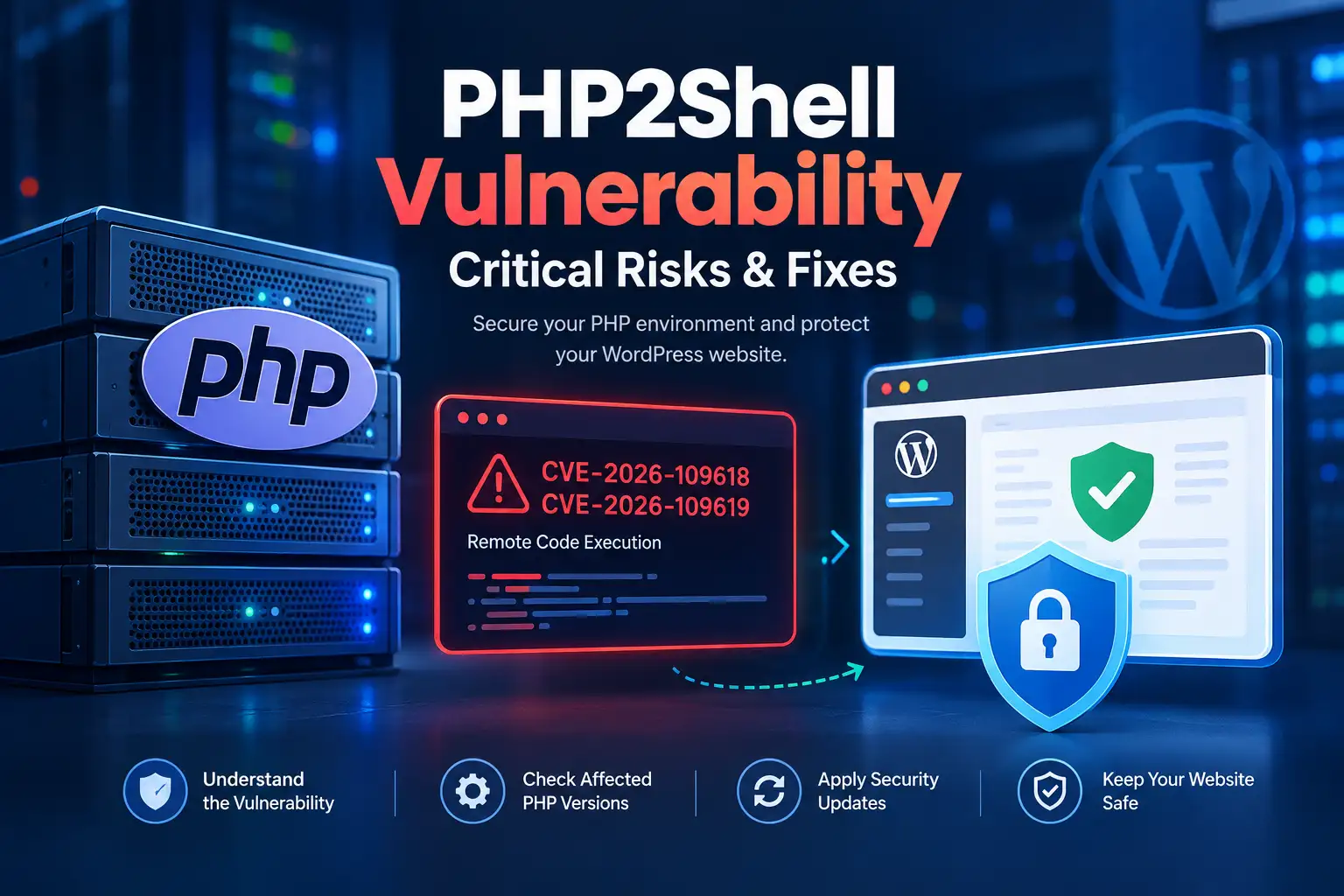
The PHP2Shell vulnerability refers to two critical security flaws in PHP that can allow attackers to execute code remotely on vulnerable servers. On October 21, 2026, the PHP project released security updates addressing CVE-2026-109618 and CVE-2026-109619. The fixed releases are PHP 8.5.12, 8.4.27, 8.3.36, and 8.2.35.
If your website runs PHP, you should check which version your hosting provider uses and confirm that the appropriate security fix has been applied. WordPress users should pay particular attention because WordPress depends on PHP to execute server-side code. Updating WordPress plugins alone does not fix a vulnerability in the PHP runtime.
What Is the PHP2Shell Vulnerability?
PHP2Shell is the name used in security reporting for two critical vulnerabilities in the PHP programming language. PHP is a server-side scripting language used by WordPress and many other web applications to process requests, interact with databases, and generate dynamic pages.
The two vulnerabilities are:
CVE-2026-109618: Remote code execution associated with out-of-memory handling and memory corruption.
CVE-2026-109619: Remote code execution associated with stale internal state that can refer to memory that has already been freed.
The official PHP project confirms that both flaws can allow unauthenticated remote code execution. In practical terms, an attacker may be able to execute code on a vulnerable server without first signing in to the application.
Sources: Official PHP security advisory and the CVE-2026-109618 advisory.
Why Is the PHP2Shell Security Issue Critical?
The primary concern is that these flaws affect PHP itself rather than one specific WordPress plugin or theme. Consequently, the risk depends on the PHP runtime and server configuration, not simply on which content management system a website uses.
Successful exploitation may allow an attacker to run code with the privileges available to the affected PHP process. Depending on those permissions and the server’s configuration, this could expose data, compromise website files, or disrupt a service.
The PHP project identifies the risk across PHP installations that serve web requests, including PHP-FPM, Apache with mod_php, php-cgi, FrankenPHP, and LiteSpeed. Its advisory identifies Apache’s mod_php configuration as particularly exposed because a demonstrated attack can occur before application code runs.
This does not mean every website using PHP has been compromised. It means administrators should establish whether their installation is affected and apply the appropriate security update.
Source: PHP’s official security announcement.
CVE-2026-109618: Out-of-Memory Corruption
The first vulnerability involves how PHP handles an out-of-memory condition.
During request processing, PHP may encounter a situation in which it cannot allocate additional memory. Under certain circumstances, the error-handling process can interrupt execution while internal request data is only partially initialized. Later cleanup operations may then treat invalid data as if it were valid.
The official advisory explains that this condition can be triggered through multiple out-of-memory strategies and may lead to remote code execution.
The important point for website owners is that memory limits alone should not be treated as a complete fix. PHP has released a security patch for this issue, and administrators should use a patched runtime rather than relying on configuration changes as a substitute.
Source: PHP advisory for CVE-2026-109618.
CVE-2026-109619: Stale Global State
The second vulnerability concerns internal state that PHP workers retain while processing requests.
Some internal values can refer to memory associated with a previous request. If that memory is released but the corresponding state is not properly reset, a later operation may use a stale reference before normal initialization replaces it. This is a type of memory-management error known as a use-after-free.
Under the conditions described in the official advisory, a carefully constructed memory layout can make this issue exploitable for remote code execution.
This is a PHP engine issue, not simply a WordPress plugin bug. Updating an unrelated plugin cannot repair the underlying flaw in the PHP runtime.
Source: PHP advisory for CVE-2026-109619.
Which PHP Versions Are Vulnerable?
The PHP project has published fixed releases for four maintained branches. The following versions contain the security fixes for both vulnerabilities.
| PHP branch | Fixed release |
|---|---|
| PHP 8.5 | 8.5.12 |
| PHP 8.4 | 8.4.27 |
| PHP 8.3 | 8.3.36 |
| PHP 8.2 | 8.2.35 |
Versions earlier than the listed fixed release in each branch are affected according to the official advisories. PHP 8.1 and older versions are also affected but are no longer supported by the PHP project.
Some operating-system vendors and long-term-support providers may backport security fixes to their own packages. Therefore, an older-looking version string does not always prove that a vendor-managed installation lacks a particular patch. Confirm the package’s security status with your provider.
Recommended action: Update to a fixed release on a supported PHP branch, or confirm with your vendor that its package contains the relevant security fixes.
Sources: PHP release information and the NHS England Digital security advisory.
How to Protect Your WordPress Website From PHP2Shell
WordPress users should verify the PHP version used by their live website. The steps below provide a practical starting point.
1. Check Your Website's PHP Version
You can check the PHP version through your hosting dashboard or WordPress administration area.
In Hostinger:
Sign in to your Hostinger account.
Open Websites.
Select the relevant website and open its Dashboard.
Navigate to PHP Configuration.
Check the currently selected PHP version.
Hostinger documents this process in its official PHP version guide.
If your website uses another host, consult that provider’s documentation. Also verify separate applications or subdomains if they use different PHP runtimes.
2. Update PHP to a Fixed Version
If your PHP runtime is affected, arrange an update to a fixed, supported release.
Before changing the version:
Back up your website files and database.
Check that your WordPress theme and plugins support the target PHP version.
Use the hosting provider’s supported configuration controls.
Test the website after the update, including the homepage, administration area, forms, and important functions.
Do not select a PHP version blindly. If your host manages PHP for you, contact its support team and ask whether the runtime serving your website contains the fixes for CVE-2026-109618 and CVE-2026-109619.
A successful change in the dashboard is not the same as independently verifying the security patch. Confirm the resulting version or ask the provider to confirm the patched package.
3. Keep WordPress, Themes, and Plugins Updated
PHP patching and WordPress maintenance are separate responsibilities.
Update WordPress core, themes, and plugins when their maintainers provide appropriate security or compatibility updates. Remove extensions that you no longer use, and obtain software from trusted sources.
However, do not assume that updating WordPress core or a plugin automatically fixes PHP2Shell. The vulnerability exists in PHP itself, so the underlying runtime must also be patched.
4. Review Logs and Investigate Suspicious Activity
Because successful exploitation may allow code execution, administrators should review relevant server logs and security alerts when exposure or compromise is suspected.
Look for unusual requests, unexpected file changes, unfamiliar administrator accounts, and other indicators that warrant investigation. These signs are not specific proof of PHP2Shell, and their absence does not prove that a system is clean.
If you find credible evidence of compromise, contact your hosting provider or a qualified incident-response professional. Preserve relevant evidence, investigate potential backdoors, and follow a recovery process rather than assuming that patching alone removes an attacker’s access.
5. What If You Cannot Update Immediately?
The safest course is to apply a fixed release as soon as possible. If your provider cannot patch the runtime promptly, ask for its official mitigation guidance and a clear remediation timeline.
The UK National Cyber Security Centre advises organisations to consider taking vulnerable systems offline if they cannot update or apply adequate temporary mitigations. The correct response depends on the system’s exposure and operational requirements.
Do not treat a web application firewall as a complete replacement for patching. Cloudflare has reported deploying WAF protections for these vulnerabilities, but the PHP project identifies updating as the safe remediation approach.
Sources: UK NCSC guidance and Cloudflare’s technical report.
Does PHP2Shell Affect WordPress Websites?
It can affect WordPress websites that run vulnerable PHP installations. WordPress is built on PHP, but PHP2Shell is a vulnerability in the PHP runtime rather than a flaw limited to WordPress itself.
The practical exposure depends on the PHP version, server configuration, and whether the provider has applied the relevant fixes. Updating plugins alone does not resolve the runtime vulnerability.
WordPress site owners should check their hosting environment and confirm that the PHP security updates are in place.
Frequently Asked Questions
What is the PHP2Shell vulnerability?
PHP2Shell is the name used in security reporting for two critical PHP vulnerabilities, CVE-2026-109618 and CVE-2026-109619. Successful exploitation can allow unauthenticated remote code execution under affected conditions.
Which PHP versions fix PHP2Shell?
The official fixed releases are PHP 8.5.12, 8.4.27, 8.3.36, and 8.2.35. Administrators should use a supported, patched release or confirm that their vendor has supplied an appropriate backported fix.
Can PHP2Shell affect a WordPress website?
Yes. A WordPress website can be exposed if its PHP runtime is vulnerable. The issue is in PHP itself, so a WordPress plugin update alone is not sufficient.
Does Cloudflare protect a website against PHP2Shell?
Cloudflare reports that it deployed WAF protections for the vulnerabilities. Such protections can provide an additional defensive layer, but they should not be treated as a substitute for updating the PHP runtime.
What should I do if my hosting provider has not patched PHP?
Contact the provider and ask whether the runtime serving your website is protected against both CVEs. Follow its mitigation guidance and assess the risk of keeping an exposed service online. For business-critical or sensitive systems, seek qualified security assistance.
Does changing the PHP version automatically remove an attacker's access?
No. Applying a security update addresses the known vulnerability in the patched runtime, but it does not prove that an attacker never compromised the website. If compromise is suspected, investigate the system, remove persistence mechanisms, rotate affected credentials where appropriate, and restore from a trusted backup if necessary.
Final Verdict: Update PHP and Verify Your Website's Security
The PHP2Shell vulnerabilities are serious because they affect PHP itself and can allow remote code execution on vulnerable systems. The PHP project has released fixed versions, and administrators should prioritise patching, verify the runtime serving each application, and investigate any credible signs of compromise.
For WordPress users, the key takeaway is straightforward: check your hosting environment, apply the appropriate PHP security update, and do not rely on plugin updates or a WAF alone to resolve the issue.
This article reflects the official PHP security information available on October 21, 2026. Check the linked advisories for subsequent updates before relying on this guidance.