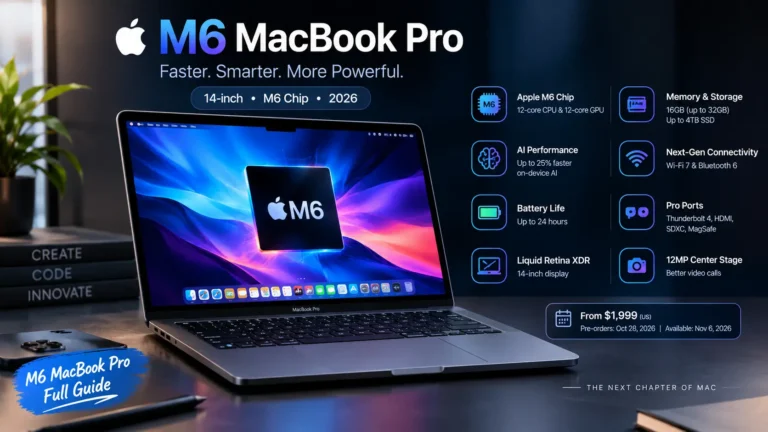
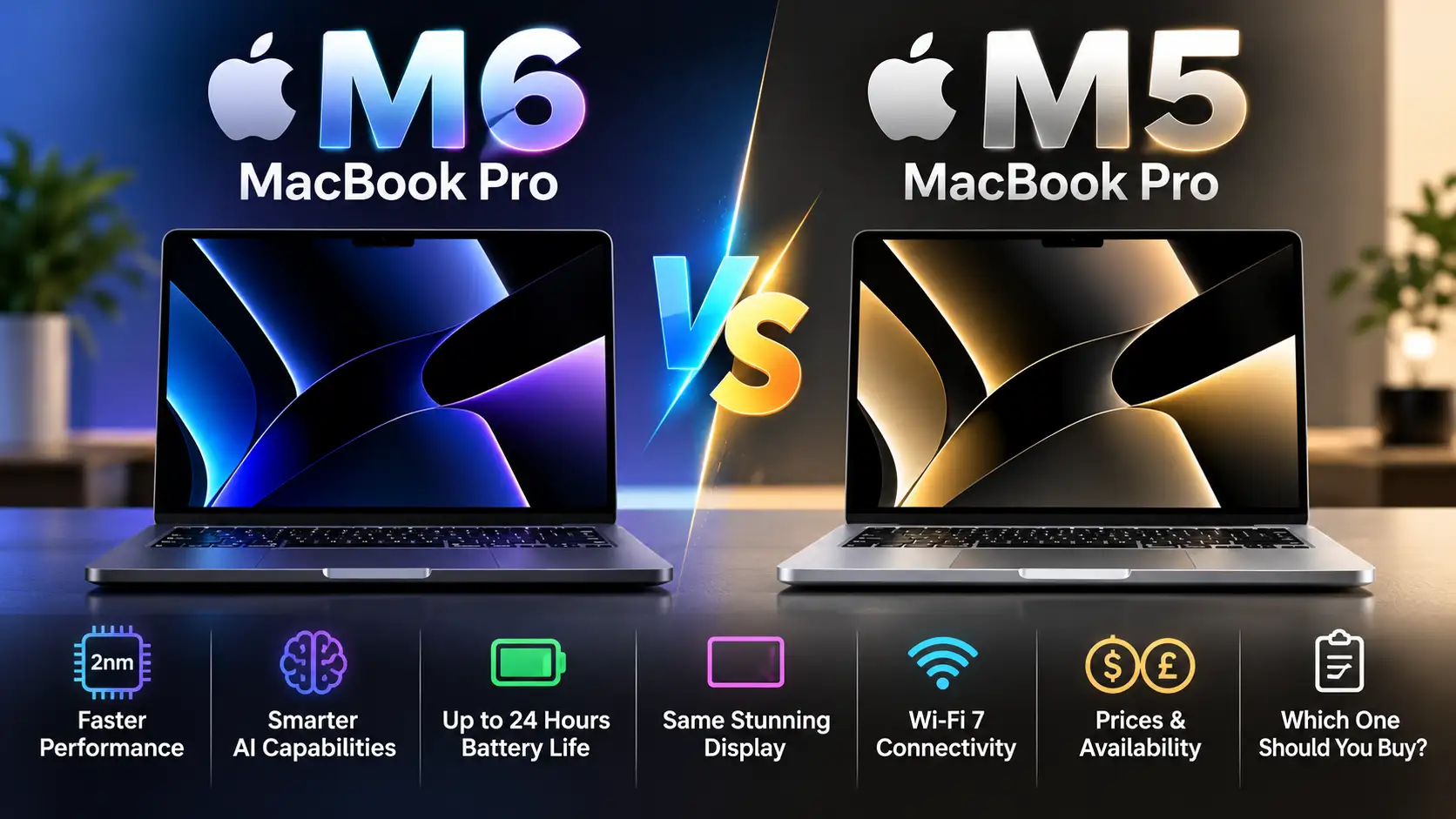
M6 MacBook Pro vs M5: 7 Key Differences & Which One Wins?
M6 MacBook Pro vs M5: Which Apple laptop is worth your money in 2026? Apple’s new 14-inch MacBook Pro brings a faster 2nm processor, improved AI performance, and Wi-Fi 7 connectivity. However, the M5 remains a capable machine, and upgrading may not make sense for everyone.
Announced on October 27, 2026, the M6 MacBook Pro delivers up to 30% faster graphics and 25% faster AI workloads than the M5, according to Apple’s testing. But both models offer similar displays, battery-life ratings, and overall designs.
Let’s compare their specifications, real-world advantages, prices, and long-term value to find out which MacBook Pro you should buy.
M6 MacBook Pro vs M5: Quick Comparison
The biggest differences between the Apple M6 and M5 MacBook Pro are processing power, AI acceleration, and wireless connectivity. Apple has not introduced a major chassis redesign with the M6 model.
Here’s how their key specifications compare.
| Specifications | MacBook Pro M6 (2026) | MacBook Pro M5 (2025) |
|---|---|---|
| Processor technology | 2nm | 3nm |
| CPU | 12-core | 10-core |
| GPU | 12-core | 10-core |
| Neural Engine | Dual 16-core | 16-core |
| Unified memory | 16GB–32GB | 16GB–32GB |
| Memory bandwidth | Up to 170GB/s | 153GB/s |
| Base storage at M6 launch | 1TB | 1TB after March 2026 |
| Display | 14.2-inch Liquid Retina XDR | 14.2-inch Liquid Retina XDR |
| Battery life | Up to 24 hours | Up to 24 hours |
| Wi-Fi | Wi-Fi 7 | Wi-Fi 6E |
| Bluetooth | 6 | 5.3 |
| Camera | 12MP Center Stage | 12MP Center Stage |
| Ports | 3 Thunderbolt 4, HDMI, SDXC, MagSafe 3 | Same |
| Original US launch price | $1,999 | $1,599 |
| Release | November 6, 2026 | October 22, 2025 |
Quick verdict: Choose the M6 if you’re buying a new MacBook Pro at a similar price. Keep your M5 if it already handles your workload comfortably. A discounted M5 can still offer excellent value.
Sources: Apple M6 announcement and Apple M5 announcement.
1. M6 MacBook Pro vs M5 Performance: How Much Faster?
The M6 introduces Apple’s 2nm chip architecture, replacing the 3nm technology used by the M5. It also increases CPU and GPU core counts from 10 to 12.
The new processor includes different types of CPU cores optimized for performance and efficiency. This architecture is designed to improve demanding workflows while managing power consumption.
CPU performance for developers and professionals
For developers, video editors, and professionals who regularly use demanding applications, the M6 offers a measurable improvement.
According to Apple’s published testing:
Xcode project builds can run up to 1.3 times faster than on M5.
Blender ray-traced rendering can be up to 1.3 times faster.
Affinity image processing can be up to 1.2 times faster.
These results depend on the task, application, and test configuration.
For everyday users browsing Safari, writing documents, or attending video meetings, the difference may be less noticeable because the M5 is already fast.
Winner: M6 MacBook Pro, particularly for CPU-intensive professional work.
2. M6 vs M5 GPU and AI Performance
Artificial intelligence is one of the most important upgrades in the M6 generation.
The M6 chip features a 12-core GPU with Neural Accelerators, plus a dual 16-core Neural Engine. The M5 uses a 10-core GPU and a 16-core Neural Engine.
Apple reports:
Up to 30% faster graphics performance.
Up to 25% faster on-device AI workloads.
Up to 1.9 times faster Neural Engine performance in supported tests.
Up to 1.3 times faster LLM prompt-processing performance in Apple’s comparison.
Why does faster AI processing matter?
More powerful on-device AI hardware can help applications process supported tasks locally instead of relying entirely on cloud servers.
This is particularly useful for developers testing local language models, content creators using AI image tools, and professionals handling sensitive workflows.
For example, applications such as LM Studio can run compatible local AI models on Apple silicon. However, actual model performance depends on available unified memory, model size, software optimization, and other factors—not just the Neural Engine.
If you regularly use local AI, image generation, or GPU-accelerated creative software, the M6 has a meaningful advantage.
Winner: M6 MacBook Pro for AI-heavy and graphics-intensive workloads.
3. M6 MacBook Pro vs M5 Battery Life
Battery life is important when choosing a laptop for studying, working remotely, or travelling.
Interestingly, Apple rates both the M6 and M5 MacBook Pro for up to 24 hours of battery life under its specified testing conditions.
Although the M6 uses a newer 2nm chip, Apple has not advertised a higher maximum battery-life rating than the M5.
Both models also support fast charging with a compatible power adapter, potentially reaching 50% charge in approximately 30 minutes.
Does the M6 last longer in real-world use?
Not necessarily.
Your actual battery life will depend on screen brightness, applications, wireless activity, background processes, and workload intensity.
The newer processor may offer efficiency advantages in certain tasks, but independent tests are needed to determine whether those translate into longer typical runtime.
Winner: Tie, based on Apple’s advertised battery-life ratings.
4. Display and Design: Is the M6 MacBook Pro Different?
If you expected a dramatically redesigned MacBook Pro, the standard M6 model may disappoint you.
Both laptops retain the familiar aluminum construction, with Space Black and Silver color options.
They also feature a 14.2-inch Liquid Retina XDR display, offering strong contrast, HDR support, and color accuracy for creative applications.
Key similarities include:
Up to 1,600 nits peak HDR brightness.
Optional nano-texture display finish.
12MP Center Stage camera.
Six-speaker sound system.
HDMI, MagSafe 3, and SDXC connectivity.
Three Thunderbolt 4 ports.
The M6 does not introduce an OLED touchscreen in this standard model.
That distinction matters because reports about future MacBook Pro designs should not be confused with specifications Apple has officially announced.
For photographers, students, and content creators, both screens provide a similar viewing experience.
Winner: Tie. There is no major display or exterior redesign to justify upgrading from M5 alone.
5. M6 vs M5 Connectivity: Wi-Fi 7 Makes a Difference
Wireless connectivity is another improvement in the M6 MacBook Pro vs M5 comparison.
The M6 supports Wi-Fi 7 and Bluetooth 6, while the M5 supports Wi-Fi 6E and Bluetooth 5.3.
Wi-Fi 7 can deliver higher throughput and lower latency when used with compatible network equipment and suitable conditions.
This may benefit users transferring large files across local networks or working with demanding wireless setups.
However, you won’t automatically experience dramatically faster internet simply by purchasing the M6. Your router, connection speed, and network environment still matter.
For everyday wireless browsing, the M5 remains capable.
Winner: M6 MacBook Pro for newer wireless connectivity.
6. M6 MacBook Pro vs M5 Price and Release Date
Apple announced the new 14-inch M6 MacBook Pro on October 27, 2026.
Preorders begin October 28, with general availability scheduled for November 6, 2026.
US pricing
The M6 MacBook Pro starts at $1,999, including 16GB of unified memory and 1TB of SSD storage.
The M5 originally launched at $1,599 in October 2025 with 512GB storage. Apple later changed its starting configuration to 1TB and adjusted its pricing.
By June 2026, the comparable entry-level M5 configuration had reached $1,999, according to MacRumors’ buyer’s guide.
Therefore, comparing $1,599 and $1,999 without considering storage and later price changes would be misleading.
UK pricing and availability
For UK buyers, check Apple’s UK MacBook Pro store for the current local price, education discounts, and available configurations.
Third-party M5 prices may differ depending on retailer discounts, stock, warranty coverage, and storage capacity.
Buying tip: Always compare models with the same RAM and SSD capacity before deciding which offers better value.
7. Should You Upgrade From M5 to M6 MacBook Pro?
Whether the M6 is worth buying depends more on your current laptop and daily workload than on the chip’s generation number.
If you already own an M5 MacBook Pro
For most users, upgrading is unnecessary.
The M5 still provides strong everyday performance, a premium display, long battery life, and support for demanding creative applications.
The M6 offers better processing and AI performance, but you may not notice a significant difference in normal use.
Recommendation: Keep your M5 unless you regularly face performance limitations that the M6 is likely to address.
If you're upgrading from M1 or an Intel MacBook
The M6 is a more attractive option.
Compared with much older machines, you can gain modern Apple silicon performance, improved energy efficiency, newer connectivity, and a more capable platform for AI workloads.
Apple claims up to 11 times faster graphics and 13 times faster AI performance than its specified M1 MacBook Pro comparison system.
These are workload-specific manufacturer claims, not universal speed increases.
If you're a student or first-time Mac buyer
The M5 may be the smarter purchase if you find a sufficiently discounted configuration.
For university assignments, research, presentations, programming courses, and normal productivity, the M5 should remain more than capable for many users.
But if both cost nearly the same and have comparable memory and storage, choose the M6 for its newer processor and connectivity.
If you're a professional creator
The M6 is better suited to buyers who need improved standard-chip performance.
However, professionals handling extremely demanding 3D scenes, large video projects, or memory-intensive applications should also compare higher-end MacBook Pro configurations rather than assuming the base M6 is automatically the fastest option for their needs.
Final Verdict: M6 MacBook Pro or M5 — Which Wins?
The M6 MacBook Pro wins on performance, AI capabilities, and wireless connectivity, but the M5 remains competitive in display quality, battery-life rating, and overall user experience.
The M6 is the better choice for buyers purchasing a new 14-inch MacBook Pro at roughly the same price. Its updated 2nm chip and additional processing cores offer more headroom for demanding workloads.
However, existing M5 owners shouldn’t feel pressured to upgrade.
Our recommendation: Buy the M6 if you need a new laptop and the price difference is small. Choose a discounted M5 if it meets your memory and storage requirements. If you already own an M5, keeping it is usually the better financial decision.
Frequently Asked Questions
Is the M6 MacBook Pro faster than the M5?
Yes. The M6 features a 12-core CPU and GPU compared with the M5’s 10-core CPU and GPU. Apple claims up to 30% faster graphics performance and 25% faster AI workloads under specified testing conditions.
Is the M6 MacBook Pro worth upgrading to from M5?
Usually not for everyday users. The M6 provides faster processing and connectivity, but both models share a similar design, display, and advertised maximum battery life.
Does the M6 MacBook Pro have better battery life?
Both models are rated for up to 24 hours. Independent testing is needed to establish differences in real-world battery performance.
How much does the M6 MacBook Pro cost?
The 14-inch M6 MacBook Pro starts at $1,999 in the United States with 16GB unified memory and 1TB SSD storage. Regional pricing and taxes vary.
When will the M6 MacBook Pro be available?
Apple announced the laptop on October 27, 2026. Preorders start October 28, and retail availability begins November 6, 2026.
Does the M6 MacBook Pro have an OLED touchscreen?
No. The standard 14-inch M6 MacBook Pro retains a Liquid Retina XDR display. Rumors about other MacBook Pro models should not be treated as confirmed features of this laptop.
Editorial note: This comparison is based on Apple’s official specifications and published testing claims as of October 28, 2026. It is not a hands-on review. Performance, battery life, pricing, and availability may vary by configuration and region.