Googlebook vs Chromebook: 9 Key Differences Before You Buy
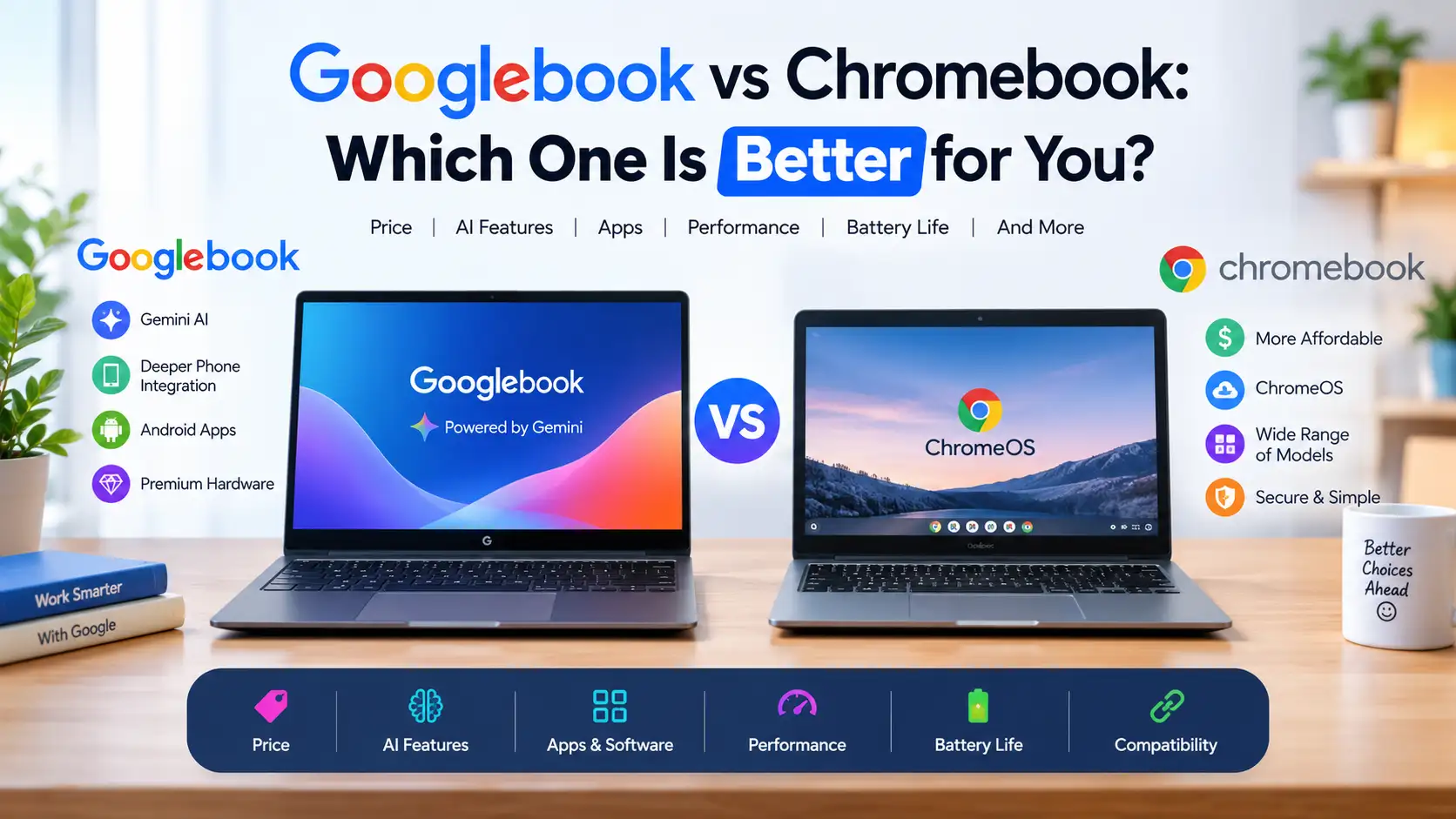
Googlebook vs Chromebook is a comparison worth understanding before spending money on a new laptop in 2026. Google’s new Googlebook laptops combine premium hardware, Gemini AI features, Android applications, and deeper smartphone integration. Traditional Chromebooks, meanwhile, remain attractive for everyday computing, education, and budget-conscious buyers.
But the newer name does not automatically mean the better purchase. Googlebook starts at $899 in the US, and early reviews have identified limitations in its software experience and application compatibility. Chromebooks also come in a much wider range of prices and configurations.
In this guide, you’ll learn the nine key differences between Googlebook and Chromebook, including price, operating systems, AI, apps, performance, battery life, and upgrade support, so you can decide which laptop suits your needs.
Googlebook vs Chromebook: Quick Comparison
Googlebook is Google’s new category of premium laptops built around Gemini Intelligence and closer Android integration. Chromebooks run ChromeOS and focus on secure, straightforward computing through web applications and supported apps.
Although the platforms share some technology, their hardware positioning and software experiences differ. Here’s how they compare.
| Feature | Googlebook | Chromebook |
|---|---|---|
| Operating system | Googlebook OS | ChromeOS |
| Main focus | Premium hardware, AI and Android integration | Simple, efficient everyday computing |
| Starting price | $899 in the US at launch | Wide range, including budget models |
| AI | Deeper system-level Gemini integration | AI features vary by model and software |
| Android applications | Native Google Play support | Supported Android apps on compatible models |
| Phone integration | Deeper access to phone apps, files and tasks | Phone Hub and supported connected-device features |
| Hardware selection | Initial premium-focused lineup | Budget, midrange and premium options |
| Windows desktop software | Not natively supported | Not natively supported |
| Best suited for | Android users seeking premium features | Students, everyday users and budget-conscious buyers |
Prices and capabilities vary by model, region and software version. Google’s official Googlebook FAQ explains the platform’s main differences.
1. Googlebook vs Chromebook Price: Which Is Cheaper?
Price is one of the clearest differences between Googlebook and Chromebook. Google’s first Googlebook laptops launched in the US with a starting price of $899, placing them in the premium laptop category rather than the budget segment.
Chromebooks are available across a much wider price range. You can find affordable devices for schoolwork and browsing, as well as premium Chromebook Plus laptops with stronger hardware and additional features.
Googlebook price
The first Googlebook lineup includes laptops from Acer, ASUS, Dell, HP and Lenovo. The Acer Googlebook 14 starts at $899 in the US, while other launch models cost more depending on their hardware and configuration.
Google also bundled a promotional Google AI Pro subscription with eligible purchases. Check the current terms, regional availability and renewal pricing before including the subscription’s value in your buying decision.
Chromebook price
Chromebooks are generally the more accessible choice if you mainly need a laptop for documents, online classes, email, video calls and streaming.
A premium Chromebook can still be expensive, so compare actual configurations rather than assuming every Chromebook is cheap.
Winner: Chromebook for affordability. If your budget is limited, a Chromebook is usually the more sensible place to start.
2. Googlebook OS vs ChromeOS: What's the Difference?
Googlebook OS is built on Android technology with desktop foundations from ChromeOS. Google designed it to combine Android applications, desktop browsing, Gemini assistance and closer connections with smartphones.
ChromeOS has traditionally prioritized simplicity, speed, security and easy device management. It is particularly useful for people whose work happens mainly in a browser or supported applications.
The difference is not simply a new name. Googlebook introduces a different approach to combining mobile apps, AI and laptop workflows.
However, Googlebook OS is a newer platform, so buyers should consider software maturity and compatibility alongside its additional features.
Winner: Googlebook for its expanded Android-focused experience; Chromebook for people who prefer the established ChromeOS workflow.
3. Gemini AI Features: Is Googlebook Better?
AI is central to Google’s Googlebook strategy. The company has designed the platform around Gemini Intelligence, with features intended to make everyday computer tasks easier.
Google has highlighted tools such as Magic Pointer, which brings contextual AI assistance into the interface, and Rambler, a voice-dictation feature designed to help turn spoken thoughts into text.
Googlebook also aims to make AI assistance and connected workflows easier to access without constantly switching between separate applications.
What about AI on Chromebooks?
Chromebooks are not without AI features. Depending on the device, software version and subscription, users may have access to Google AI tools and other supported applications.
The distinction is that Googlebook was designed around deeper Gemini integration from the beginning.
Winner: Googlebook for its intended system-level Gemini experience. However, compare the features you will actually use, and check whether they work on your chosen processor and in your region.
4. Performance and Hardware: Which Laptop Is Faster?
Googlebook’s initial lineup uses processors including Intel Core Ultra 5 and Qualcomm Snapdragon X Elite, depending on the model. Google has positioned these laptops as premium devices with modern processors, touchscreen displays and configurations intended for demanding multitasking.
Chromebooks cover a broader hardware range, from entry-level systems to powerful premium models.
A budget Chromebook may struggle with heavy multitasking, but a well-equipped Chromebook Plus can be a capable productivity machine.
Does Googlebook always perform better?
No. Processor benchmarks, memory capacity, cooling, storage and software optimization all affect performance.
Some Googlebook models have powerful hardware, but early independent reviews have questioned whether the operating system and application ecosystem fully use that capability.
For example, Notebookcheck’s HP Googlebook 14c review highlighted the laptop’s premium build while identifying limitations in its software experience.
Winner: Googlebook has a premium hardware focus, but there is no universal performance winner without comparing specific models and real-world tests.
5. Apps and Software Compatibility
Application compatibility could determine whether Googlebook is right for you.
Googlebook supports Android applications through Google Play, web applications, and selected creative and productivity tools. Google has highlighted apps such as Adobe Photoshop, Lightroom and CapCut, with availability and capabilities varying by application.
Chromebooks also support web applications and compatible Android apps on supported devices.
The important question is not simply how many apps are available. It is whether your essential software works properly on the laptop.
Can Googlebook run Windows applications?
Googlebook OS does not natively run traditional Windows .exe applications. ChromeOS has the same general limitation.
If you depend on Windows-only professional software, specialist engineering tools, particular games or advanced desktop editing applications, check compatibility before buying either platform.
Some tasks may be possible through web versions, Android apps, Linux tools or remote access, but these alternatives do not guarantee the same experience as a native Windows application.
Winner: Googlebook for deeper Android app integration. Neither platform is automatically the best choice for Windows-dependent workflows.
6. Googlebook vs Chromebook Battery Life
Battery life depends on the individual laptop, processor, display, workload and software optimization. Neither platform can claim a universal win based on its name alone.
Googlebook’s initial models are designed around modern processors and premium portable hardware. Chromebooks have a long history of serving students and everyday users who need portable computers for classes, travel and work.
What should you check before buying?
Compare independent battery tests for the exact models you are considering. Look for testing that reflects your own use, such as web browsing, video calls, streaming or office productivity.
Manufacturer estimates can help with initial comparisons, but they are not guarantees of real-world endurance.
Winner: Depends on the model. Choose measured battery performance over marketing claims.
7. Android Phone Integration: A Major Googlebook Advantage
Googlebook is designed to connect your laptop and Android phone more closely. Its features include access to phone apps and files, alongside supported workflows that let you move between devices more naturally.
For example, you may be able to access information from your phone while working on your laptop without manually transferring every file.
Chromebooks already offer phone-related features such as Phone Hub and supported connected-device functions. Googlebook’s goal is to go further by integrating Android apps and task continuity more deeply into the laptop experience.
Some features may require a compatible Android phone, a particular operating system version or specific hardware. Google’s support information notes that the full experience is not identical across all configurations.
Winner: Googlebook for deeper Android integration, especially if your phone is already central to your daily workflow.
8. Can Your Existing Chromebook Upgrade to Googlebook OS?
This is an important question for existing Chromebook owners. You should not assume that every Chromebook will receive Googlebook OS.
Google has said that many newer Chromebook models may be eligible to transition to the new platform, but it has not provided a complete list of eligible devices in the support information reviewed for this article.
Google has also confirmed that current Chromebooks will continue to receive software and security updates throughout their supported lifetimes. Its guidance states that ChromeOS devices will continue receiving updates through mid-2034, subject to their individual support policies.
This means existing owners do not need to rush into buying a Googlebook simply because the new platform has launched.
Should you wait for an upgrade?
If your Chromebook meets your needs, keep using it while you wait for official compatibility information. If you are buying a new laptop, check its support policy and consider whether its current software already covers your requirements.
Winner: Chromebook for buyers who want to keep using a supported device they already own. Googlebook upgrade eligibility will depend on the exact model and Google’s future migration details.
9. Is Googlebook Worth Buying in 2026?
Googlebook offers a new combination of premium hardware, Gemini features and Android integration. However, its price and early software limitations make it worth evaluating carefully.
Recent reviews have praised aspects of the hardware while questioning whether the current operating system offers enough flexibility to justify the premium price for every buyer.
Choose Googlebook if:
You want a premium laptop built around Gemini AI.
You use an Android phone and value deeper integration.
Your essential applications work on Googlebook OS.
You want compatible Android apps and modern laptop hardware.
You are comfortable adopting a relatively new platform.
Choose Chromebook if:
You want an affordable laptop for everyday computing.
You mainly use browser-based applications and Google services.
You need a laptop for school, online learning or basic productivity.
You prefer the established ChromeOS experience.
You want to avoid paying extra for features you may not use.
If your work depends on full desktop versions of Windows applications, compare suitable Windows laptops as well. Googlebook and Chromebook are not automatic replacements for every Windows or macOS workflow.
Googlebook vs Chromebook: Frequently Asked Questions
Is Googlebook better than Chromebook?
Googlebook may be better for people who want premium hardware, deeper Gemini integration and advanced Android connectivity. Chromebook is usually the more practical choice for budget-conscious users and everyday computing.
Is Googlebook replacing Chromebook?
Googlebook is a new laptop category with a different operating-system approach. Google has indicated that many newer Chromebooks may qualify for migration, but existing Chromebooks will continue to receive updates throughout their supported lifetimes.
Why is Googlebook more expensive than Chromebook?
Googlebook’s initial lineup targets the premium segment, with modern processors, touchscreen displays and deeper AI and Android integration. Chromebooks span a much wider price range, including inexpensive models.
Can I use Microsoft Office on Googlebook?
Googlebook supports compatible Microsoft 365 experiences, but the features may differ from the full Windows desktop applications. Confirm that the version you need supports your workflow.
Is Googlebook available in Pakistan?
Pakistan was not included in Google’s announced first-wave launch markets. Before purchasing an imported model, verify the seller, warranty coverage, total landed cost and compatibility with your requirements.
Should I upgrade from Chromebook to Googlebook?
Not necessarily. If your current Chromebook works well, there may be little reason to replace it immediately. Consider upgrading only if Googlebook’s additional capabilities solve a real problem for you.
Final Verdict: Googlebook vs Chromebook
Googlebook represents Google’s push toward premium laptops with Gemini AI and deeper Android integration. Chromebook remains a practical option for everyday computing, online learning and people who want to keep costs down.
For most users who primarily need browsing, documents, email and streaming, a reasonably priced Chromebook can provide better value.
For Android users who want advanced phone-to-laptop integration and can justify the higher price, Googlebook is worth considering—but check application compatibility and independent reviews first.
The bottom line: Buy the laptop that supports your actual workflow, not simply the newest platform.
For launch prices, model specifications, Gemini features and availability, read our Googlebook 2026: Price, Specs, Gemini AI Features and Release Date guide.
Final Verdict: Googlebook vs Chromebook
Last updated: October 29, 2026. Prices, availability, features and upgrade eligibility can change. Check official product information before purchasing.